Comfy API Is Live: Deploy ComfyUI Workflows as Production APIs
analysis
Comfy API Is Live: Deploy ComfyUI Workflows as Production APIs
What the ComfyUI API Launch Changes for Production AI Art Workflows
The live ComfyUI API changes the conversation around AI image generation. Until recently, most teams treated ComfyUI as a powerful but desktop-bound node editor: great for experimentation, awkward for production. With a stable API surface, builders can now move from manual UI sessions to repeatable, headless image generation pipelines. That shift matters because production AI art workflows need automation, reproducibility, observability, and backend integration—not just beautiful one-off outputs. For agencies, SaaS products, and platform teams, the ComfyUI API is less a novelty and more an architectural unlock.
Why API Access Matters for AI Image Generation at Scale

Manual generation does not scale. A designer can drag nodes, tweak prompts, and queue a few images, but a product feature cannot depend on someone clicking “Queue Prompt” at 2 a.m. API access turns creative workflows into software systems. You can trigger generations from a backend job, pass parameters from a database, store outputs in object storage, and notify users when results are ready.
Reproducibility is the second reason API access matters. In the UI, it is easy to lose track of which checkpoint, LoRA, VAE, seed, or custom node version produced an image. Through the API, that entire graph becomes a JSON payload that can be versioned, diffed, and tested. Batch generation becomes a loop instead of a manual chore. Integration becomes an HTTP call instead of a fragile export-import dance.
In practice, teams usually start with a simple request: “Generate 500 product images with different backgrounds.” The UI can do one image well. The API can do 500 images while logging every seed, model hash, and failure reason. That is the difference between a demo and a dependable service.
From ComfyUI UI to Headless Production API: Key Differences
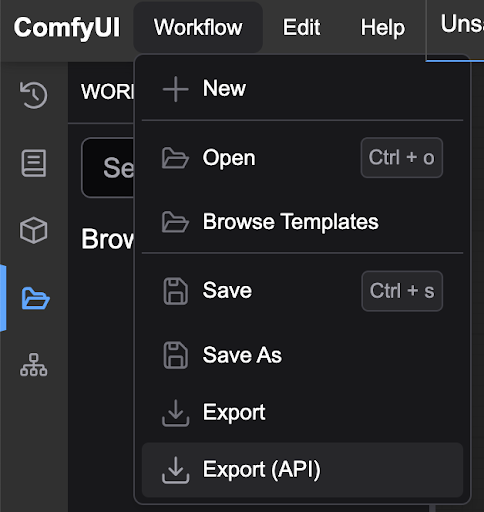
The UI and the API run the same underlying graph, but they optimize for different things. The UI optimizes for exploration. The API optimizes for control, scale, and repeatability.
| Concern | ComfyUI UI | Headless ComfyUI API |
|---|---|---|
| Interaction | Manual node editing | Programmatic JSON payload |
| Queueing | Single user session | Shared queue with backpressure |
| Versioning | Saved workflows, often ad hoc | Versioned graph JSON and model hashes |
| Monitoring | Visual progress bars | Metrics, logs, WebSocket events |
| Scaling | One desktop GPU | Worker pools and autoscaling |
| Failure handling | Retry by hand | Idempotency keys, retries, callbacks |
The biggest mental shift is that the workflow becomes an asset. In the UI, the workflow is something you open. In production, it is something you deploy. That means you need schema validation, pinned dependencies, golden-output tests, and rollback plans. It also means monitoring queue depth, GPU memory, and error rates as first-class signals. The ComfyUI API does not remove complexity; it moves complexity into places where engineers can manage it.
Who Gains Most from the ComfyUI API? Teams, Agencies, and SaaS Builders
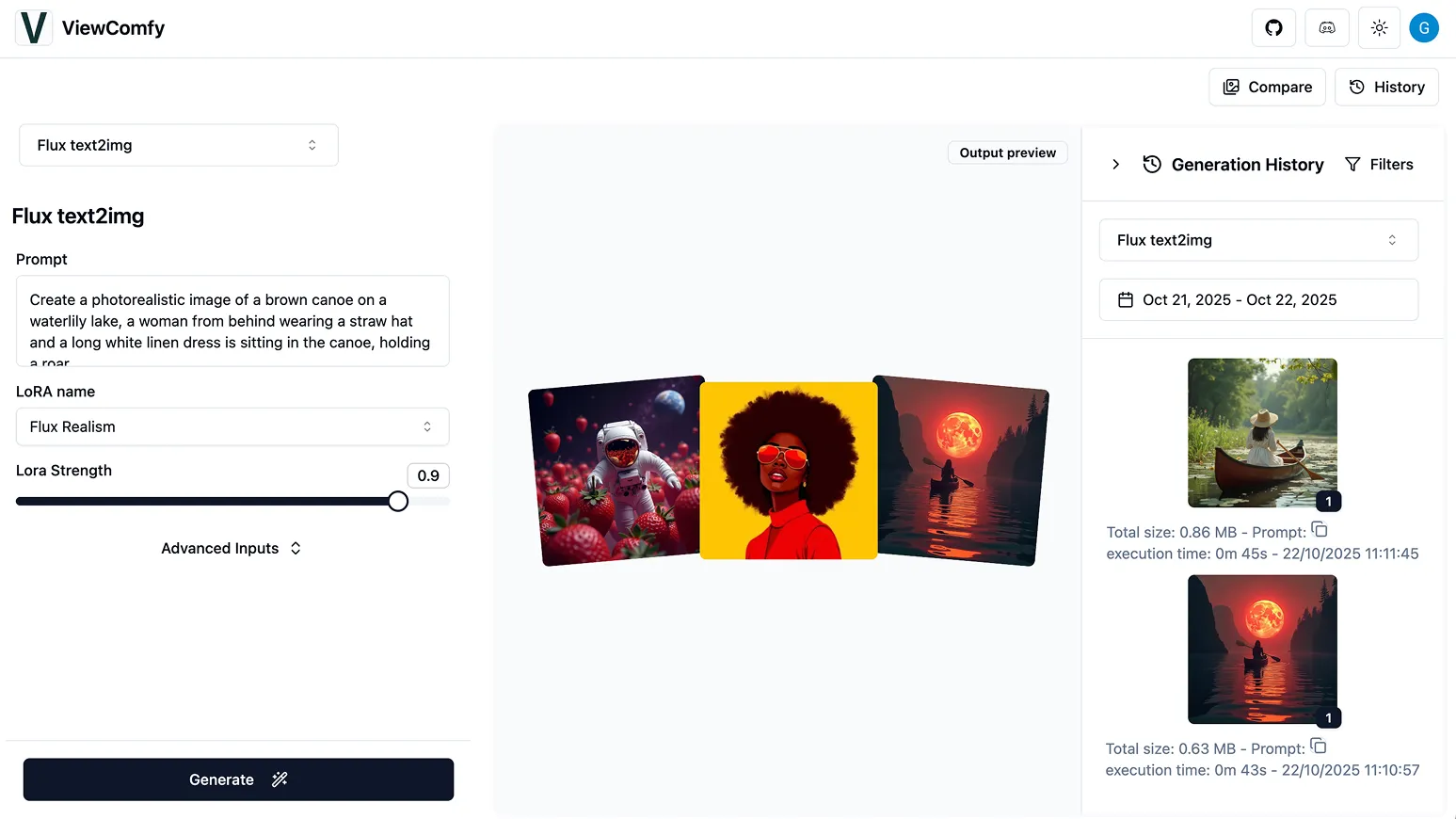
The strongest adopters are teams that need custom pipelines but cannot afford manual operations. Creative agencies generating hundreds of campaign variants benefit from batch generation and consistent style locking. E-commerce teams need product photography at scale, often with background replacement and brand-safe constraints. Game studios need asset variants, style consistency, and fast iteration across characters, props, and environments.
SaaS builders gain the most when image generation is part of their product. If your users expect a “Generate” button, you need an API, not a remote desktop. Developers who need control over proprietary models, custom nodes, or on-prem compliance also fit well. The ComfyUI API is not for every team. If you only need occasional high-resolution images and do not want to manage GPUs, a managed endpoint may be a better first step. But if image generation is core to your product, the API gives you ownership of the pipeline.
Understanding the ComfyUI API Architecture

How ComfyUI Executes a Workflow Through the API
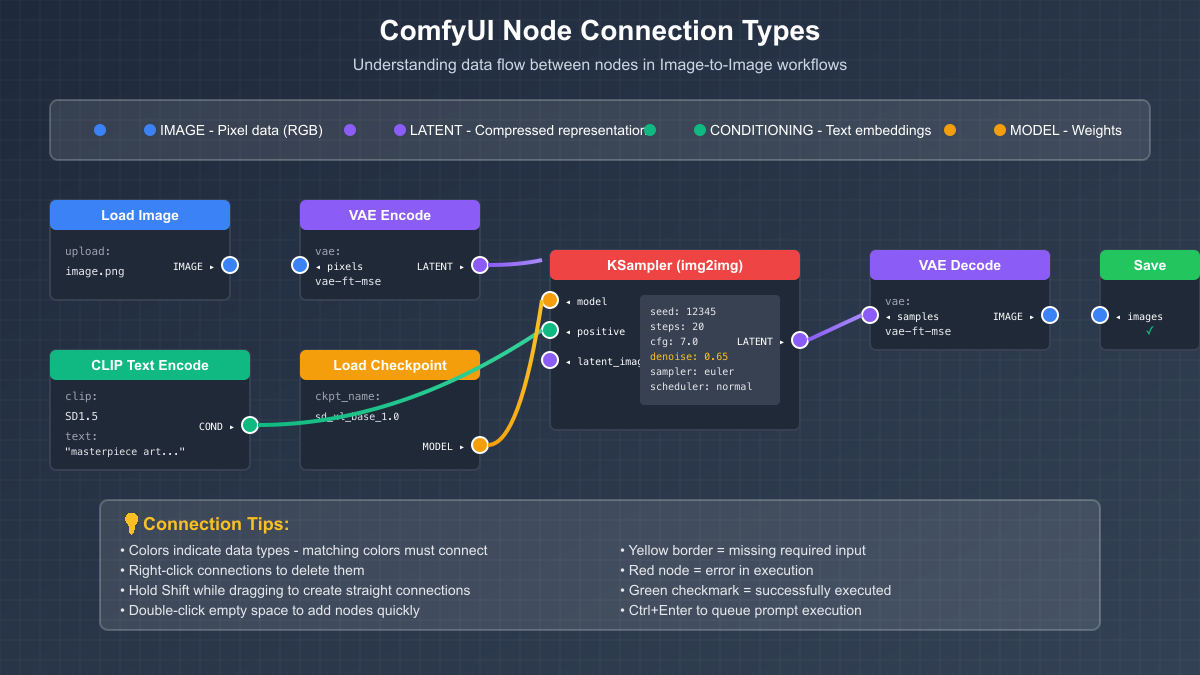
At its core, ComfyUI executes a directed graph. Each node has inputs, outputs, and a class type. The API accepts a prompt graph—usually a JSON object containing node IDs, class types, and input connections. The server validates the graph, resolves dependencies, loads required models, and executes nodes in dependency order. Cached nodes may be reused if their inputs and model state have not changed.
When execution finishes, outputs are stored by ComfyUI, and clients retrieve images through the history or view endpoints. The important production detail is that the graph is not a script. It is a declarative dependency map. That makes it powerful, but it also means a single missing custom node or mismatched model can break the entire run.
Core Endpoints, Payloads, and WebSocket Events in the ComfyUI API
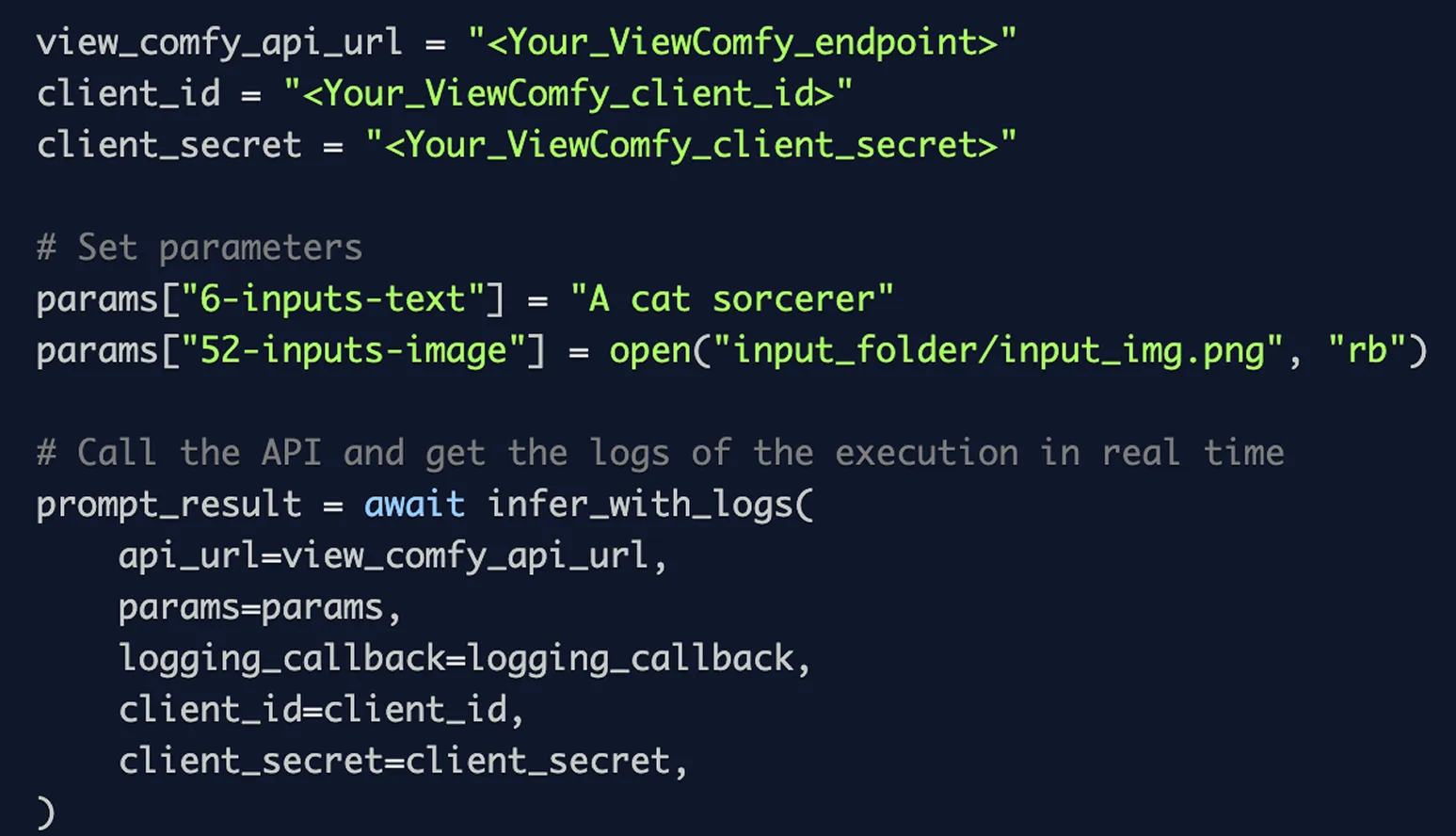
The practical API surface is small but sufficient. Most integrations use
POST /promptGET /queueGET /history/{prompt_id}GET /view/wsA simplified prompt submission looks like this:
curl -X POST http://localhost:8188/prompt \
  -H "Content-Type: application/json" \
  -d '{
    "prompt": {
      "3": {
        "class_type": "KSampler",
        "inputs": {
          "seed": 42,
          "steps": 20,
          "cfg": 7.5,
          "sampler_name": "euler",
          "scheduler": "normal",
          "denoise": 1.0,
          "model": ["4", 0],
          "positive": ["6", 0],
          "negative": ["7", 0],
          "latent_image": ["5", 0]
        }
      }
    },
    "client_id": "prod-worker-01"
  }'
WebSocket events include
execution_startexecutingprogressexecutedexecution_cachedexecution_errorNode Graphs, Dependencies, and Model Loading in Production
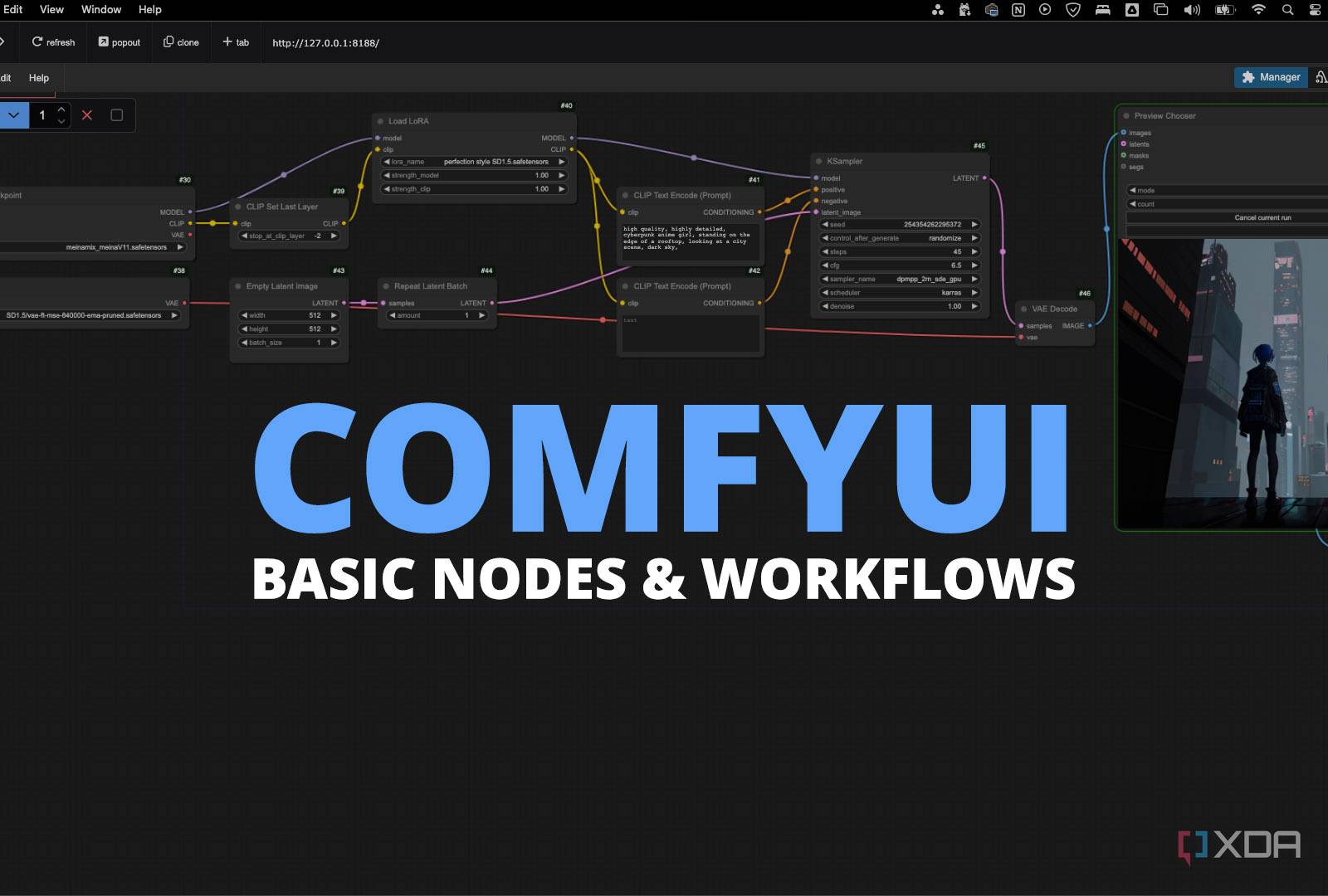
Production graphs depend on checkpoints, LoRAs, VAEs, ControlNet models, and custom nodes. Each dependency is a potential drift point. If a custom node updates and changes its input schema, a previously valid graph may fail validation. If a checkpoint is replaced with a newer file, outputs may shift subtly or dramatically.
The fix is to pin everything: model hashes, custom node commits, Python dependencies, and CUDA versions. Use a lockfile for custom nodes and store model checksums in your deployment manifest. In practice, teams that skip this step discover the problem only after a customer reports that images look different. Dependency drift is not a hypothetical risk; it is one of the most common causes of silent production regressions.
Latency, Queueing, and GPU Memory Considerations
Cold starts dominate latency in self-hosted ComfyUI deployments. Loading a large checkpoint can take tens of seconds. If the model is not cached, the first request after a worker restart is slow. VRAM pressure is another constraint. Batch size increases throughput but can trigger out-of-memory errors. Queue depth is a leading reliability indicator: if the queue grows faster than workers can drain it, latency spikes and timeouts follow.
For teams that do not want to manage this layer directly, a managed AI image generation API like Imagine Pro can abstract away queueing and GPU orchestration. That does not make self-hosting obsolete. It simply gives teams a way to separate product validation from infrastructure ownership.
Preparing ComfyUI Workflows for Production API Deployment
Exporting a ComfyUI Workflow as API JSON
The first step is to export a workflow in API format. The UI format includes layout information, groups, and notes that the API does not need. Remove UI-only nodes and confirm that every remaining node has valid inputs. Validate the graph against the exact ComfyUI version and custom node set running in production. A workflow that works on your desktop may fail on a worker if the custom node version differs.
Parameterizing Prompts, Seeds, Checkpoints, and LoRAs
Expose only safe inputs. Prompts, negative prompts, seeds, steps, CFG, and selected LoRAs are common parameters. Do not let users inject arbitrary node classes or file paths. Use an allowlist of checkpoints and LoRAs. Validate numeric ranges. If you allow image uploads for img2img or ControlNet, scan files, limit dimensions, and strip metadata. The goal is to let users be creative without letting them break the graph or overload the system.
Versioning and Validating Workflows Before Deployment
Treat each workflow like a software release. Use semantic versioning: patch for prompt changes, minor for new optional inputs, major for graph or model changes. Store the graph JSON, model manifest, and custom node lockfile together. Create golden images for a fixed seed and prompt. Run regression tests that compare perceptual hashes or CLIP similarity scores. If a new model changes outputs beyond an acceptable threshold, require human review.
Security Review: Sanitizing Inputs and Preventing Prompt Injection
Prompt injection is not just a text concern. In image workflows, a malicious prompt can attempt to bypass moderation, generate unsafe content, or consume excessive GPU time. Sanitize inputs, enforce maximum prompt lengths, and run output moderation before returning images. Restrict file uploads to known formats. Use node allowlists so users cannot execute arbitrary code through custom nodes. Security review should be part of the workflow release process, not an afterthought.
Deploying ComfyUI Workflows as Production APIs
Choosing an Infrastructure Pattern for Your ComfyUI API
| Pattern | Best for | Trade-off |
|---|---|---|
| Self-hosted GPU server | Full control, on-prem | Manual scaling, maintenance |
| Dockerized workers | Reproducible environments | Orchestration still needed |
| Kubernetes | Elastic scaling | Complexity, GPU scheduling |
| Serverless GPU | Bursty workloads | Cold starts, vendor limits |
| Managed endpoint | Fast launch | Less customization |
There is no universal winner. Early-stage products often choose managed endpoints or serverless GPUs to validate demand. High-volume teams with proprietary models usually move to Kubernetes or dedicated GPU pools.
Containerizing ComfyUI with Docker, GPUs, and Persistent Storage
Use a base image with the correct CUDA version for your GPU drivers. Install ComfyUI and custom nodes from a lockfile. Mount model caches on persistent volumes so workers do not re-download checkpoints. Store outputs in object storage, not local disk. Set resource limits for VRAM and system memory. A clean container is not enough; you also need a model cache strategy that survives restarts and scales across nodes.
Scaling Workers, Queues, and Autoscaling for Production AI Art Workflows
Scale horizontally by adding workers, not by overloading one GPU. Use a queue with backpressure. If the queue exceeds a threshold, reject or delay low-priority jobs. Keep a warm pool of workers with common models preloaded. Autoscale on queue depth and GPU utilization, not just CPU. Cost-aware autoscaling should cap maximum workers and scale down during idle periods.
CI/CD for Deploy ComfyUI Workflows: Testing, Rollbacks, and Canary Releases
Test workflow changes in a staging environment with the same models and custom nodes as production. Run golden-image tests. Canary-release new models or nodes to a small percentage of traffic. Compare success rate, latency, and output quality. If error rates rise, roll back the graph and model manifest together. Never roll back only the graph JSON while leaving the model version changed; that is how reproducibility breaks.
Security, Monitoring, and Reliability for a ComfyUI API
Authentication and Access Control for the ComfyUI API
Use API keys for service-to-service calls and OAuth for user-facing apps. Implement role-based access control so only admins can change models or deploy graphs. Apply rate limits per tenant. If you serve multiple customers, isolate queues and storage. Tenant isolation prevents one noisy user from exhausting GPU capacity for everyone.
Monitoring Queue Depth, GPU Utilization, and Generation Failures
Track queue wait time, P95 latency, VRAM usage, error rate, and cost per successful image. A dashboard that only shows uptime is not enough. Queue depth often predicts outages before latency alarms fire. VRAM fragmentation can cause failures that look random. Error rate should be segmented by workflow version and model hash.
Idempotency, Retries, and Webhook Callbacks in Production AI Art Workflows
Use idempotency keys to avoid duplicate generations. If a client times out and retries, the server should return the existing job instead of creating a new one. Use webhook callbacks for long-running jobs, but sign and verify them. Handle callback failures with exponential backoff. Duplicate generations waste GPU time and confuse users.
Cost Governance: Spot Instances, Cold Starts, and Model Caching
Spot instances reduce GPU costs but can be interrupted. Design workers to checkpoint jobs or retry safely. Model caching reduces cold-start penalties but consumes storage. Balance cache size against cost. Monitor cost per successful image, not just cost per GPU hour. A cheap worker that fails often is more expensive than a reliable one.
ComfyUI API vs Imagine Pro: Choosing the Right AI Image Generation API
Control and Customization: ComfyUI API vs Managed Platforms
ComfyUI API wins on control. You can use custom nodes, proprietary checkpoints, fine-tuned LoRAs, and complex multi-stage pipelines. Managed platforms usually expose a simpler parameter set. If your differentiation depends on a unique pipeline, self-hosting is attractive.
Time to Production: Self-Hosted Workflows vs Imagine Pro
Self-hosting takes weeks of DevOps setup: GPU provisioning, container builds, model caching, queueing, monitoring, and security. If your goal is to ship a customer-facing feature next week, a managed AI image generation API like Imagine Pro can remove the GPU orchestration burden. It lets teams bring ideas to life effortlessly while they validate demand.
Cost, Maintenance, and Team Expertise
Self-hosting has visible GPU costs and hidden engineering costs. You pay for model maintenance, custom node updates, reliability engineering, and on-call. Managed platforms trade some control for predictable scaling and lower operational overhead. The right choice depends on whether your team wants to own the infrastructure or the creative pipeline.
When a Managed AI Image Generation API Is the Better Fit
Choose managed when speed, simplicity, and predictable scaling matter more than deep customization. This is common for MVPs, marketing tools, and products where image generation is a feature, not the core moat. You can always migrate later if scale or control demands it.
Real-World Implementation: Lessons from Production ComfyUI API Deployments
Case Study: Scaling Product Photography with a ComfyUI API
An e-commerce team needed 10,000 product images per week with consistent lighting and background replacement. They built a ComfyUI graph with a checkpoint, a background-removal node, and a compositing stage. The API allowed them to batch jobs from a CSV, store outputs in S3, and notify the merchandising team. The hardest part was not generation; it was keeping model versions pinned so colors did not drift between batches.
Case Study: Batch Art Generation for a Game Studio
A game studio used the ComfyUI API to generate character variants. They locked style with a LoRA, controlled seeds for reproducibility, and exposed a small parameter set for artists. Iteration speed improved because artists could request 50 variants without waiting on a single workstation. The studio also learned to cap batch size to avoid VRAM spikes.
What Broke in Production and How We Fixed It
Queue storms happened when a marketing campaign triggered thousands of jobs at once. We added rate limits and priority queues. VRAM leaks appeared after long-running workers processed thousands of images; restart policies and memory monitoring fixed it. Unpinned custom nodes caused silent workflow errors after an automatic update. We pinned commits and added schema validation. Silent workflow errors were the worst: the job succeeded but returned a blank image. Golden-image tests caught that class of failure.
Some teams prototype with Imagine Pro before committing to self-hosted infrastructure. That lets them validate prompts and user experience without building a GPU platform first.
Metrics That Matter: P95 Latency, Cost per Image, Success Rate
Define production health with P95 latency, cost per successful image, and success rate. Track queue wait time separately from execution time. A high success rate with high latency may still be acceptable for batch jobs but not for interactive tools. Cost per image should include failed attempts, not just successful ones.
Common Pitfalls When You Deploy ComfyUI Workflows
Configuration Drift and Unpinned Custom Nodes
Unpinned nodes and model versions break reproducibility. A graph that worked last month may fail today. Pin everything and test dependencies before deployment.
GPU Memory Leaks and Zombie Processes
Long-running workers can fragment VRAM or leave zombie processes. Use restart policies, memory limits, and health checks. Do not assume a worker is healthy just because the process is running.
Unbounded Queues and Runaway Costs
Missing rate limits and autoscaling caps can create surprising cloud bills. Set maximum queue depth and maximum worker count. Reject or defer work when capacity is exhausted.
Poor Error Messages and Silent Failures
Logs should include prompt ID, workflow version, model hash, and node ID. User-facing errors should be actionable. Silent failures erode trust faster than visible outages.
Advanced Optimization for Production AI Art Workflows
Model Caching and Warm Worker Pools
Keep frequently used models preloaded. Warm pools reduce cold starts for interactive workloads. Cache eviction should consider model size, usage frequency, and load time.
Batching and Async Generation for Higher Throughput
Batch size improves throughput but increases latency and VRAM usage. Profile your workflow to find the sweet spot. Async generation with webhooks works well for long batches.
Optimizing Custom Nodes and Workflow Graphs
Remove redundant nodes. Simplify graphs. Profile slow execution paths. A single inefficient custom node can dominate total latency.
Benchmarking Quality vs Speed for AI Image Generation APIs
Evaluate prompt adherence, aesthetic quality, throughput, and cost. Managed APIs like Imagine Pro can serve as a benchmark for speed and output quality. Use benchmarks to decide whether to optimize, scale, or switch.
When to Use ComfyUI API (and When Not To)
Best Fit Scenarios for a Self-Hosted ComfyUI API
Use self-hosted when you need full control, custom nodes, on-prem compliance, or proprietary models. If image generation is your product’s core differentiator, owning the pipeline is strategic.
Scenarios Where Imagine Pro or Another Managed API Wins
Use managed when you need fast launch, low maintenance, predictable pricing, and immediate high-resolution generation. A practical option is to start with a free trial and validate demand before building infrastructure.
Hybrid Strategy: Prototype with Imagine Pro, Scale with ComfyUI API
A hybrid strategy is often best. Prototype with Imagine Pro to test prompts, user flows, and quality expectations. Once volume, customization, or compliance demands grow, migrate the proven workflow to a self-hosted ComfyUI API. This avoids premature infrastructure investment while keeping a clear path to control.
Costs, Benchmarks, and Trust Signals for AI Image Generation APIs
Calculating Total Cost of Ownership for a ComfyUI API
Total cost of ownership includes GPU hours, storage, egress, engineering time, and monitoring overhead. Add the cost of failed generations and idle capacity. A self-hosted GPU that sits idle still costs money.
Benchmarks and Trust Signals
Publish internal benchmarks for P95 latency, success rate, and cost per image. Track output quality with human review and automated similarity checks. Trust comes from transparency: show users what model version generated an image, how long it took, and what it cost.
Conclusion
The ComfyUI API launch is a turning point for production AI art workflows. It turns a powerful node editor into a deployable service that can be automated, versioned, monitored, and scaled. Teams that adopt it gain control over models, pipelines, and costs—but they also take on real operational responsibility. The best approach is pragmatic: prototype quickly with a managed option like Imagine Pro, then migrate to the ComfyUI API when scale, customization, or compliance justify the investment. Whether you self-host or use a managed API, the goal is the same: reliable image generation that fits your product, your team, and your economics.