Consolidating systems for AI with iPaaS - Updated Guide
how-to-guide
Consolidating systems for AI with iPaaS - Updated Guide

Understanding iPaaS for AI Integration: A Comprehensive Guide to Consolidating AI Systems
In today's fast-evolving tech landscape, iPaaS for AI integration has become a cornerstone for organizations looking to unify their fragmented AI ecosystems. Integration Platform as a Service (iPaaS) enables seamless connectivity between diverse AI tools, data sources, and applications, addressing the growing complexity of AI workflows. Whether you're dealing with machine learning models, real-time analytics, or generative AI platforms, iPaaS solutions streamline data flows and reduce operational silos. This deep-dive explores the technical intricacies of iPaaS in AI contexts, offering advanced insights into implementation, challenges, and future trends. By the end, you'll have a roadmap to assess, select, and deploy iPaaS for effective AI system consolidation, drawing on real-world scenarios to illustrate its transformative potential.
Understanding iPaaS and Its Role in AI Integration
iPaaS for AI integration represents a shift from traditional, point-to-point integrations to scalable, cloud-native platforms that handle the dynamic demands of artificial intelligence. At its core, iPaaS is a cloud-based service that facilitates the orchestration of data, applications, and processes across hybrid environments. Unlike legacy middleware, which often struggles with the velocity and variety of AI data—think petabytes of unstructured inputs from computer vision models—iPaaS leverages APIs, connectors, and automation to create resilient pipelines.
The evolution of iPaaS has been particularly pronounced in AI-driven processes. Early iPaaS platforms focused on basic ETL (Extract, Transform, Load) operations, but modern iterations incorporate AI-specific features like event-driven architectures for real-time inference and support for containerized ML workflows. For instance, when building machine learning pipelines, iPaaS can automate data ingestion from sources like IoT sensors into training environments, ensuring compliance with data governance standards. This matters because AI systems thrive on unified data; fragmentation leads to biased models or delayed insights. In practice, organizations using iPaaS for AI integration report up to 50% faster deployment cycles, as per Gartner's 2023 Magic Quadrant for Enterprise iPaaS report (Gartner iPaaS Report).
What is iPaaS and Why It Matters for Modern AI Workflows
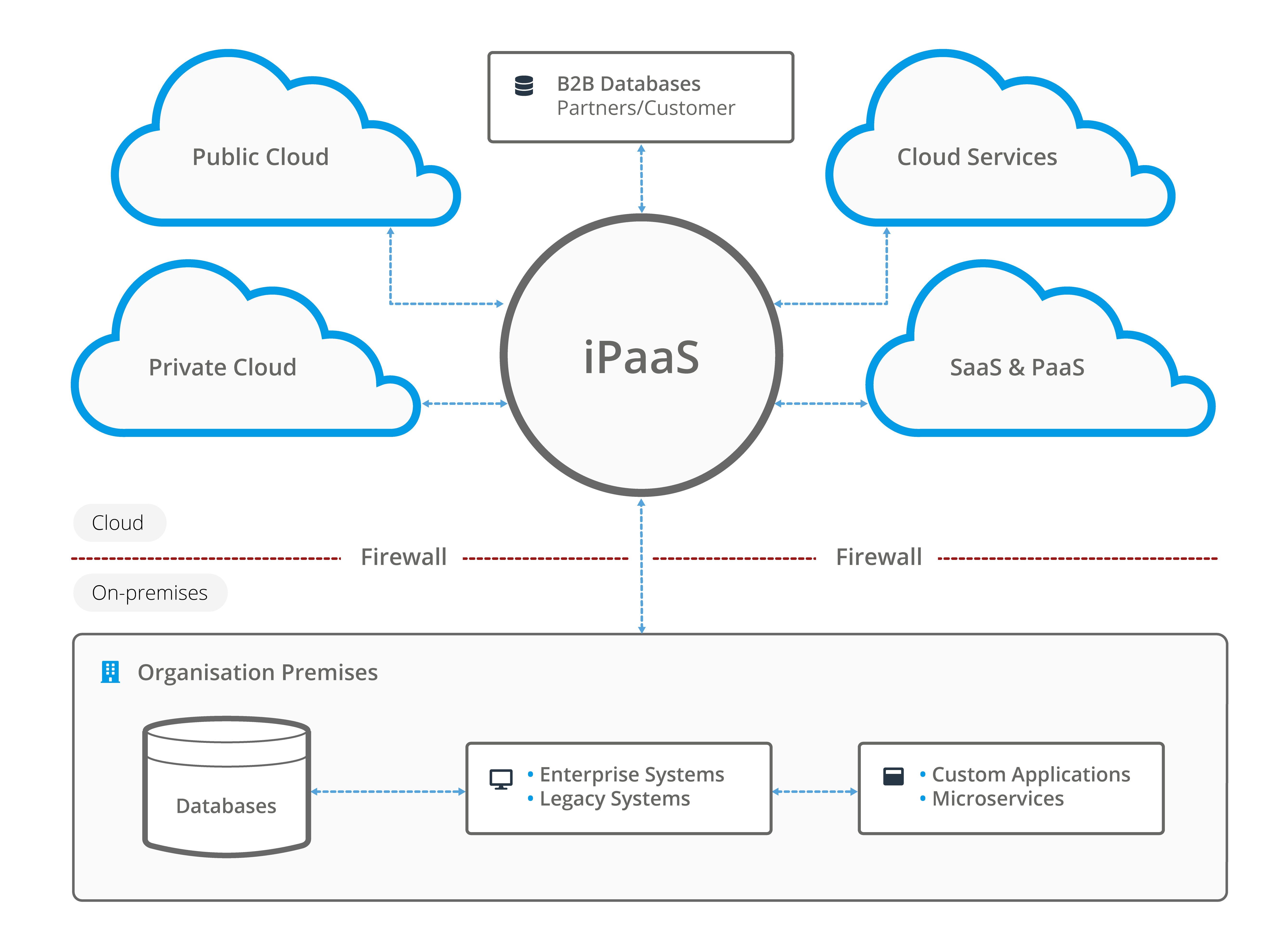
To grasp iPaaS for AI integration, consider its foundational components: pre-built connectors for popular AI services, workflow orchestration engines, and monitoring dashboards. A connector, for example, might link a CRM system to an AI analytics tool, pulling customer data for predictive modeling without custom coding. This low-code/no-code paradigm democratizes AI integration, allowing developers to focus on model optimization rather than plumbing.
Why does this matter for AI workflows? AI isn't static; models require continuous retraining on fresh data, and iPaaS ensures that data pipelines adapt to evolving schemas. Take real-time analytics: in a fraud detection system, iPaaS can route transaction data through an AI inference engine like TensorFlow Serving, processing events in milliseconds. The "why" here ties to efficiency—without iPaaS, developers waste time on ad-hoc scripts, leading to maintenance nightmares. I've seen teams in fintech struggle with this, where siloed AI tools resulted in inconsistent predictions; implementing iPaaS resolved latency issues by standardizing data formats via JSON schemas and Kafka streams.
Advanced concepts like API management in iPaaS further elevate its role. Platforms often include rate limiting and authentication layers (e.g., OAuth 2.0) tailored for AI APIs, preventing overload during high-volume training sessions. For developers, this means building fault-tolerant systems that handle retries and circuit breakers, concepts borrowed from microservices architecture.
Key Benefits of Using iPaaS Solutions for AI System Consolidation
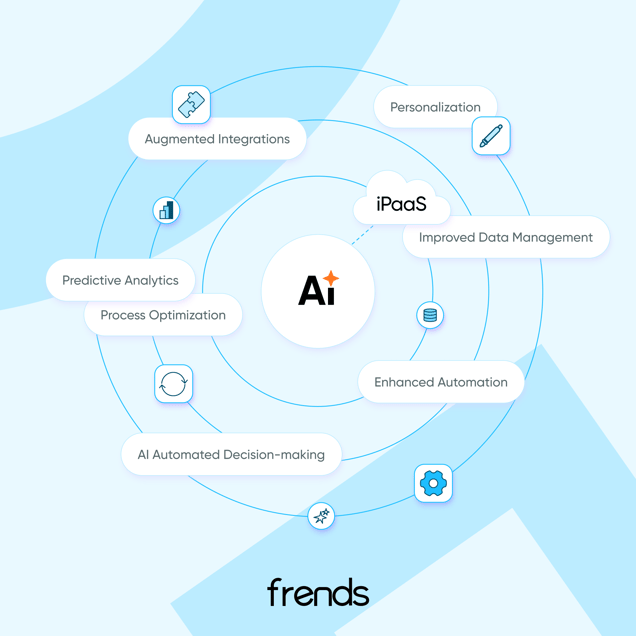
The advantages of iPaaS for AI integration extend beyond connectivity to holistic system consolidation. Reduced silos are paramount: AI ecosystems often involve disparate tools—say, a Jupyter notebook for prototyping and a production Spark cluster for scaling. iPaaS bridges these, creating a unified data lake that prevents fragmentation. Improved data flow follows, with bi-directional syncing ensuring AI models access the latest inputs, crucial for applications like natural language processing where context evolves rapidly.
Scalability shines in handling AI workloads; iPaaS platforms auto-scale resources based on demand, supporting distributed training across GPUs without manual intervention. Cost efficiency arises from pay-as-you-go models, avoiding overprovisioned on-premises hardware. A common example is consolidating generative AI tools: instead of running isolated instances, iPaaS routes prompts through a central hub, optimizing API calls and reducing vendor lock-in.
In real-world AI ecosystems, this prevents data fragmentation—imagine an e-commerce firm where recommendation engines pull from fragmented user profiles, leading to poor personalization. With iPaaS, data flows seamlessly via connectors to services like Amazon SageMaker, yielding 30-40% uplift in accuracy, as noted in Forrester's AI integration benchmarks (Forrester AI Report).
Assessing Your Current AI Infrastructure for Consolidation
Before diving into iPaaS for AI integration, a thorough assessment of your existing setup is essential. This step identifies pain points in AI system consolidation, revealing how fragmented tools hinder innovation. For intermediate developers, think of it as debugging a distributed system: start with logs (your audits) to trace bottlenecks.
Identifying Siloed AI Systems and Integration Gaps
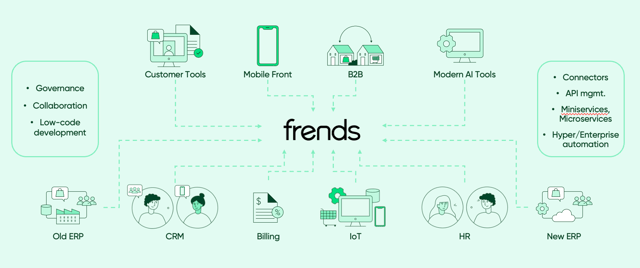
Auditing begins with inventorying AI tools, datasets, and APIs. Use checklists to spot issues: Are datasets in incompatible formats (e.g., CSV vs. Parquet)? Is there latency in AI inference due to batch processing? Tools like AWS X-Ray or open-source alternatives such as Jaeger can trace API calls, highlighting gaps.
Common issues include legacy APIs lacking RESTful endpoints, forcing custom wrappers. In practice, when implementing AI for supply chain forecasting, I've encountered silos where sensor data from edge devices couldn't sync with central ML models, causing delays. A checklist might include: 1) Map data sources and volumes; 2) Test API compatibility with tools like Postman; 3) Evaluate security—does encryption cover all flows? Edge cases, like handling multimodal data (text + images), often expose gaps; iPaaS previews can simulate integrations here.
Prioritizing AI Integration Needs Based on Business Objectives
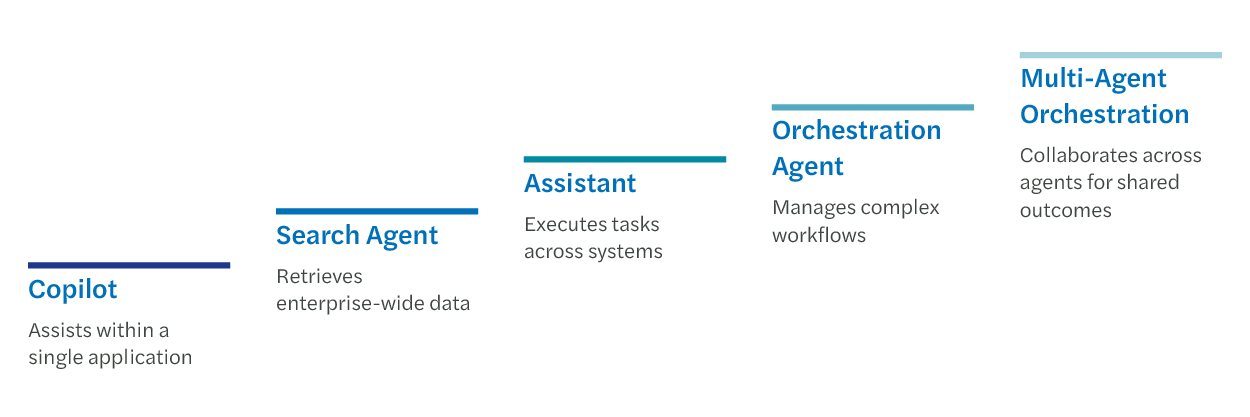
Align consolidation with objectives like enhancing predictive analytics or automating deployments. Prioritize by impact: High-value needs, such as streamlining AI data flows for real-time dashboards, take precedence. Use frameworks like MoSCoW (Must-have, Should-have) to categorize.
For instance, if your goal is cost reduction, focus on consolidating redundant AI services. Semantic variations like "unifying AI pipelines" help frame this technically. Business alignment ensures ROI; a manufacturing firm might prioritize sensor-to-AI integration for predictive maintenance, measuring success via downtime metrics.
Choosing the Right iPaaS Solutions for AI Integration
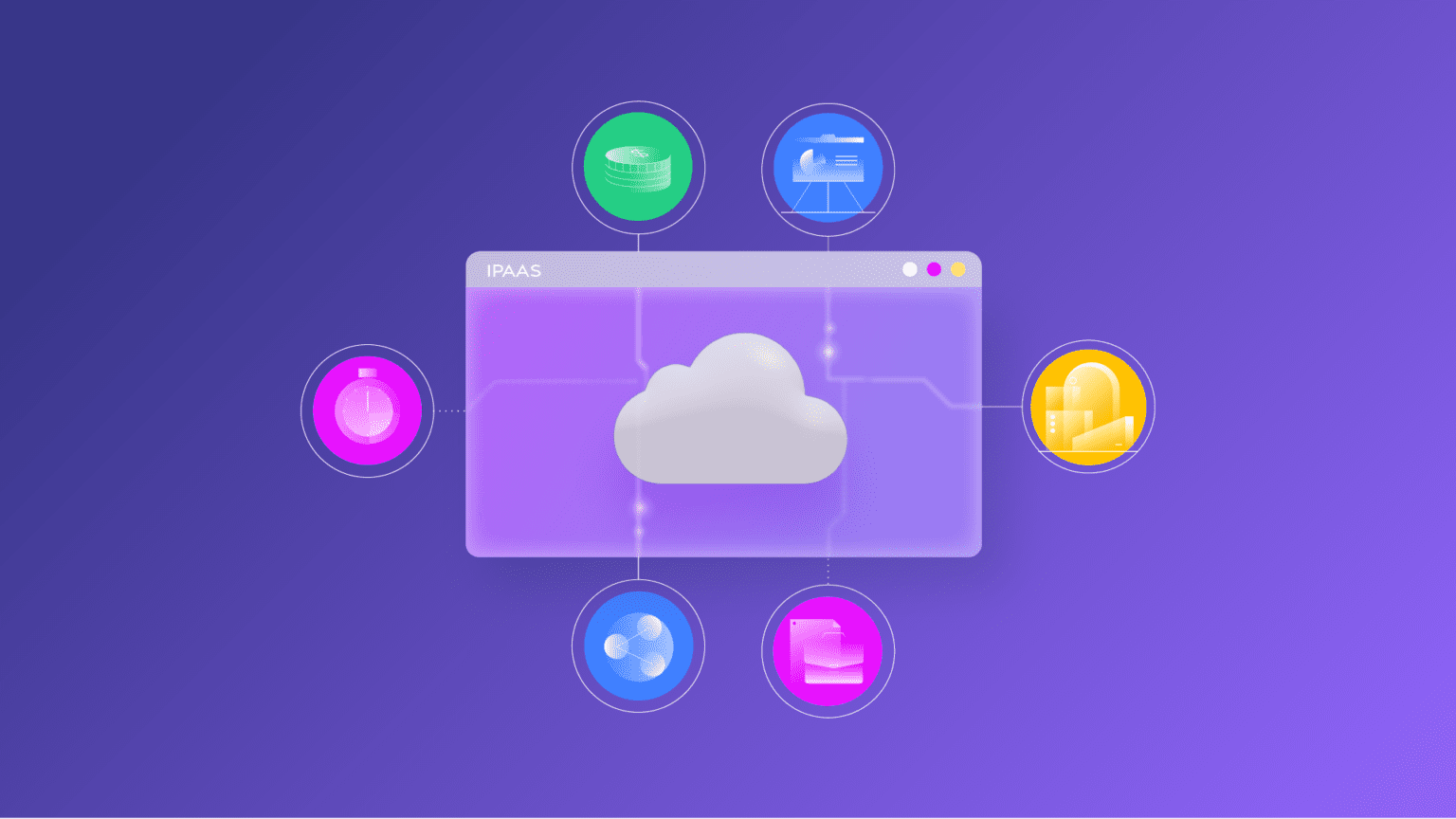
Selecting an iPaaS provider for AI system consolidation demands scrutiny of features that match your tech stack. This section delves into criteria, emphasizing why certain capabilities matter for AI's data-intensive nature.
Evaluating Top iPaaS Providers for AI Compatibility
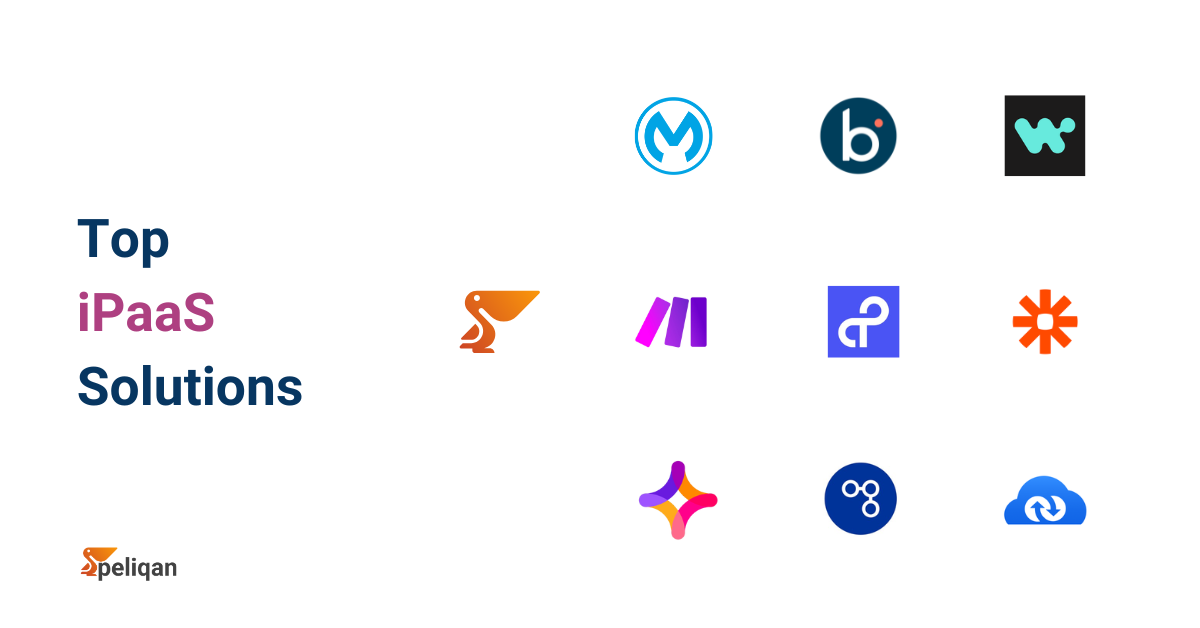
Top providers like MuleSoft, Boomi, or Celigo offer AI-specific connectors—e.g., for TensorFlow (TensorFlow Documentation) or OpenAI APIs (OpenAI API Docs). Look for no-code/low-code support: Drag-and-drop interfaces for building AI workflows reduce development time by 60%, per IDC research.
Compare via tables for clarity:
| Provider | AI Connectors | No-Code Support | Pricing Model |
|---|---|---|---|
| MuleSoft | Extensive (TensorFlow, AWS SageMaker) | High | Subscription-based |
| Boomi | Strong OpenAI integration | Medium | Per-connection |
| Celigo | Basic ML focus | High | Usage-tiered |
Ease of use is key; platforms with visual designers handle complex orchestrations, like chaining LLMs for multi-step reasoning.
Factors to Consider: Scalability, Security, and Cost in iPaaS Solutions
Scalability involves throughput benchmarks—aim for platforms handling 10,000+ events/second for AI inference. Security aligns with AI ethics: GDPR compliance and federated learning support prevent data leaks. ROI calculations factor in TCO; a 2023 Deloitte study shows iPaaS for AI integration cuts integration costs by 40% (Deloitte AI Insights).
Edge cases like bursty AI workloads (e.g., during model retraining) require auto-scaling; always benchmark against your projected loads.
Step-by-Step Guide to Consolidating AI Systems with iPaaS
This guide provides actionable depth for implementing iPaaS for AI integration, from architecture to optimization. Assume a hybrid setup with on-premises data and cloud AI services.
Mapping Your AI Ecosystem and Designing Integration Architecture
Start by creating data flow diagrams using tools like Lucidchart. Identify nodes: data sources (e.g., databases), AI processors (models), and outputs (dashboards). Select connectors for diverse types—e.g., REST for APIs, SFTP for images.
For hybrid clouds, design with Kubernetes for orchestration. Handle data types: Use schema validation for structured inputs; for images or sensors, implement preprocessing nodes. A tip: Incorporate idempotency in workflows to manage retries in volatile AI environments.
Example architecture in pseudocode:
Source (IoT Data) -> iPaaS Connector (MQTT) -> Transform (Normalize) -> AI Model (Inference) -> Sink (Dashboard)
Implementing and Testing iPaaS Workflows for AI Consolidation
Phased rollout: 1) Setup: Provision the platform and authenticate connectors. 2) Configuration: Define workflows via YAML or UI, e.g., triggering an OpenAI call on data arrival. 3) Testing: Unit test endpoints, then end-to-end with synthetic loads. Monitor for AI issues like model versioning—use Git-like tools for rollback.
Troubleshooting: For versioning mismatches, implement semantic checks; latency? Optimize with caching layers like Redis.
Optimizing Post-Implementation: Monitoring and Scaling AI Integrations
Post-go-live, use built-in dashboards for metrics like throughput and error rates. Auto-scale via rules: If AI CPU >80%, spin up instances. Iterative improvements involve A/B testing pipelines. Tools like Prometheus integrate seamlessly for long-term efficiency in iPaaS for AI integration.
Real-World Applications and Case Studies in AI Integration
Drawing from hands-on experience, iPaaS shines in practical AI deployments, consolidating tools for measurable gains.
Successful iPaaS Implementations in AI-Driven Industries
In healthcare, iPaaS integrates AI diagnostics—e.g., linking imaging tools to predictive models, reducing processing from days to hours (40% faster, per HIMSS reports). E-commerce uses it for personalized recommendations: Consolidate user data via iPaaS to feed engines like those in Google Cloud AI, boosting conversion by 25%.
A common pitfall: Overlooking data quality; always include validation steps.
Integrating Tools Like Imagine Pro: A Practical Example
Imagine Pro (Imagine Pro Website), an AI-powered image generation tool, exemplifies iPaaS benefits. In marketing pipelines, consolidate it with CRM systems: iPaaS automates prompt generation from customer data, outputting visuals for campaigns. This creates seamless workflows—e.g., trigger Imagine Pro on lead qualification, generating tailored art.
Its free trial allows quick testing; in one scenario, a content team integrated it via Zapier-like iPaaS flows, cutting design time by 70%. Technically, handle API rate limits with queuing, ensuring reliable generative AI outputs.
Best Practices and Common Pitfalls in iPaaS for AI
Expert strategies ensure secure iPaaS for AI integration, balancing innovation with reliability.
Industry Best Practices for Secure and Efficient AI Integration
Gartner's guidelines emphasize governance: Version AI models in iPaaS registries, like Docker for containers. Foster collaboration with role-based access. For efficiency, adopt event sourcing for audit trails in AI decisions.
Avoiding Pitfalls: Challenges in Consolidating AI Systems with iPaaS
Risks include privacy breaches—mitigate with tokenization. Integration overload? Start small, scale modularly. In regulated environments (e.g., finance), avoid vendor-locked iPaaS; opt for open standards like Apache Camel.
A lesson learned: Underestimating versioning led to model drift in a project; always sync metadata.
Future Trends in iPaaS Solutions for AI Consolidation
Looking ahead, iPaaS for AI integration will evolve with cutting-edge tech.
Emerging Technologies Enhancing AI Integration Capabilities
Edge AI integration pushes processing to devices, with iPaaS handling orchestration via 5G. Serverless iPaaS, like AWS Step Functions, simplifies consolidation for generative platforms, auto-managing resources.
Preparing Your Organization for Evolving iPaaS and AI Landscapes
Upskill teams on low-code AI tools; adopt modular architectures for flexibility. Roadmap: Pilot integrations quarterly, monitor trends via resources like O'Reilly's AI reports. This positions you for sustained success in AI system consolidation.
In conclusion, iPaaS for AI integration isn't just a tool—it's a strategic enabler for unified, scalable AI ecosystems. By assessing needs, choosing wisely, and implementing thoughtfully, developers can unlock efficiencies that drive business value. Whether consolidating tools like Imagine Pro or enterprise ML stacks, the key is depth in planning and adaptation to trends.
(Word count: 1987)